
Click-and-Drag Coding: Why Developers Are Building Software Visually
If you have ever watched a Hollywood thriller featuring a "computer hacker", you already know the stereotype. The scene is always the same: a pale individual sits in a dark room, illuminated only by the glow of three monitors. They wear a hoodie, drink lukewarm coffee, and type furiously at 200 words per minute. Endless lines of incomprehensible green text cascade down a black screen. Suddenly, they press Enter with dramatic flair, whisper "I'm in," and miraculously bypass a government security firewall.
For decades, this has been our collective mental image of software development. To build something digital, you had to be a mathematical wizard who could speak fluent computer-code, typing out thousands of lines of syntax by hand. One misplaced semicolon, one accidental capital letter, and the entire system would grind to a halt.
But a quiet revolution is happening behind the scenes.
Software development is moving away from typing endless rows of text on black screens. Instead, professional developers are increasingly building the backbone of modern apps using visual tools—clicking, dragging, and connecting digital blocks like high-tech LEGO.
Welcome to the era of Low-Code and No-Code development. And no, it isn’t just for amateurs. It is changing how the world’s best software teams build products for their clients.
What Actually Happens When We Code?
To understand why visual coding is such a massive leap forward, we need to lift the bonnet on traditional software development.
Computers are incredibly fast, but they are also exceptionally dim. They don't understand human intentions; they only understand absolute, literal instructions. If you want a button on a website to register a user's email address and send them a PDF, a traditional developer has to write the code to:
Create the visual button on the screen.
Check if the user has actually typed something in.
Verify that what they typed is a real email address (and not just "hello").
Package that email address up and send it to a database.
Make sure the database successfully saves it.
Trigger the email service to send the PDF.
Show a "success" message on the screen.
In traditional coding, every single one of those seven steps requires dozens of lines of precise text. Writing this text is slow, meticulous, and highly repetitive.
[Traditional Coding]
Write Text ? Debug Semicolons ? Test ? Find Error ? Re-write Text (Weeks/Months)
[Visual Coding]
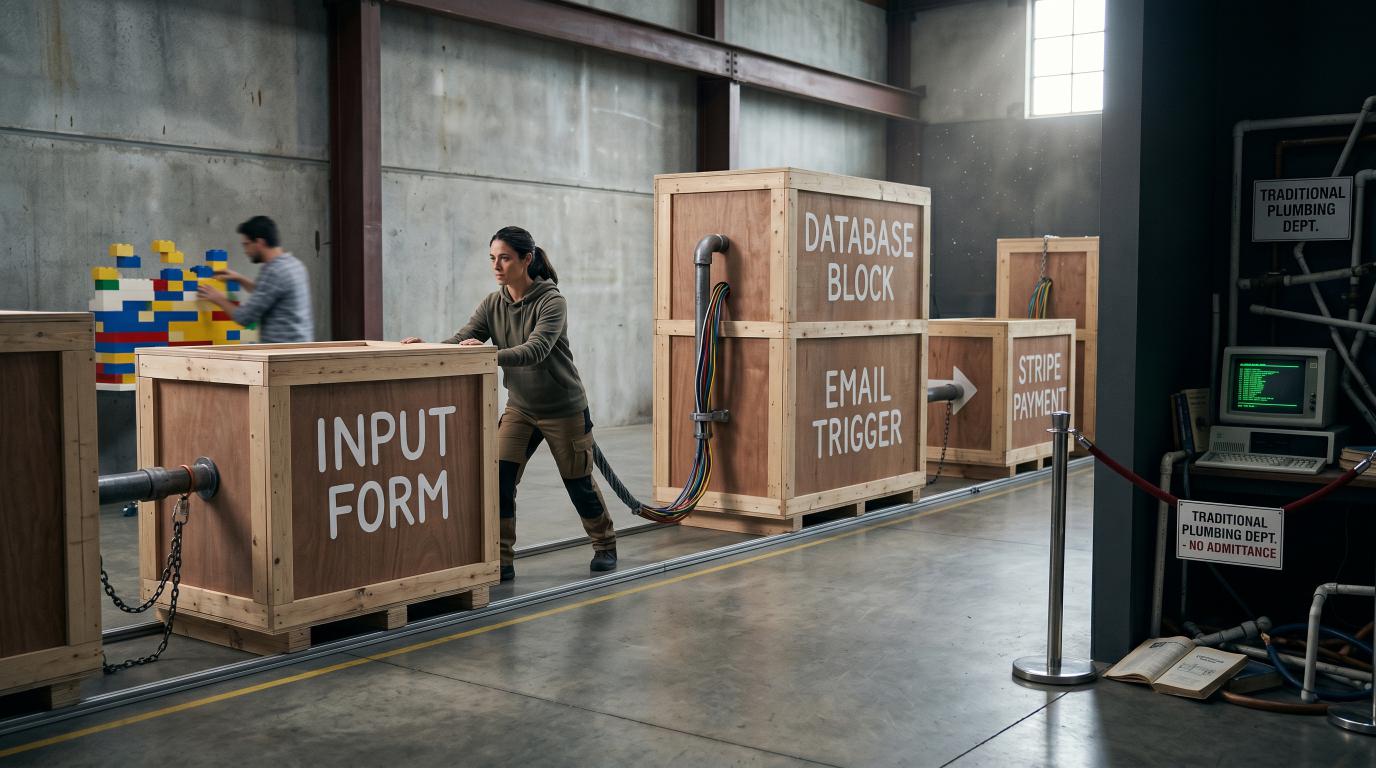
Drag "Input Form" ? Connect to "Database Block" ? Connect to "Email Trigger" (Minutes/Hours)
The tragedy of modern software is that developers historically spent roughly 80% of their time writing the same standard plumbing over and over again. Every app needs a login screen. Every app needs a database connection. Every app needs a settings menu.
Writing these standard components from scratch is the digital equivalent of hand-weaving your own carpet every time you move house. It is tedious, expensive, and a colossal waste of creative energy.
The 2026 Twist: Enter the AI Co-Pilot
Of course, we cannot talk about coding today without acknowledging the giant, hyper-intelligent elephant in the room: Generative AI.
Traditional software development isn't quite as slow and manual as it used to be. Today, developers aren't typing out every single line of that tedious "80% plumbing" by hand. Instead, they use AI coding assistants and autonomous agents to generate standard boilerplate code in a matter of seconds.
AI has undoubtedly narrowed the speed gap between traditional, text-based coding and visual development. It has made traditional coding highly automated. Yet, even with an AI assistant generating text, visual development tools still hold a massive advantage. Why? Because looking at a visual canvas is infinitely easier for humans to comprehend, collaborate on, and map out than looking at thousands of lines of AI-generated text.
Enter the Visual Revolution: LEGO vs. Liquid Plastic
Low-Code and No-Code (LCNC) platforms solve the plumbing problem by turning code into visual components.
Think of it this way. If you wanted to build a toy castle, you have two options. You could buy raw, liquid plastic, build custom moulds in your garage, melt the plastic, pour it in, wait for it to cool, sand down the rough edges, and glue the pieces together. That is traditional coding.
Or, you could buy a box of LEGO.
The LEGO bricks have already been moulded, tested, and standardised. You know exactly how they click together. You can build a magnificent castle in an afternoon. If you want to change a tower into a bridge, you simply pull the bricks apart and reorganise them.
No-code and low-code platforms are the LEGO bricks of the software world. Instead of writing a database from scratch, a developer drags a pre-built "database" block onto a digital canvas. Instead of programming a payment gateway, they drag in a "Stripe Payment" block, connect a virtual arrow from the "Buy Button" to the "Payment Block", and they are done.
No-Code: Entirely visual. You build apps using drag-and-drop interfaces without writing a single line of text.
Low-Code: Mostly visual. You build 90% of the app using drag-and-drop, but you have the ability to write custom snippets of code (the "low" part) to handle highly unique, bespoke business logic.
The Pro-Developer Myth: Isn't This Just for Amateurs?
When business owners first hear about visual development, they are often deeply sceptical. They assume it is a toy. They think it’s only for non-technical startup founders trying to build a basic website on their kitchen table.
This is a massive misconception.
In fact, some of the most enthusiastic adopters of low-code tools are highly experienced, professional software developers. Why? Because they value their time.
A professional developer doesn't go to university for four years to spend their days writing repetitive database connection strings. They want to solve complex, interesting business problems. By using visual tools to handle the boring "plumbing" of an app, developers can build the backbone of a complex software system in days instead of months.
It allows them to focus their highly specialised skills on the 10% of the project that is truly unique, rather than the 90% that is standard.
The Game-Changing Benefits for Your Business
For a business looking to build new software—whether it's a customer portal, an internal operations dashboard, or a brand-new digital product—the visual coding trend offers three massive advantages:
1. Speed That Feels Like Time Travel
In the business world, speed is everything. If you have an idea for a new software product, you want to get it into the hands of real users as quickly as possible to see if they actually like it.
With traditional development, building a working prototype (what tech folks call a Minimum Viable Product, or MVP) can take six months and cost tens of thousands of pounds.
With visual development, a skilled team can build a fully functional, beautiful prototype in a matter of days. You can literally show a working app to your clients next week, gather their feedback, and make changes on the fly during the meeting.
2. Drastically Lower Costs
Time is money, especially in software. Because visual development cuts the production time by up to 70%, it slashes the cost of building software.
You no longer need to fund a massive team of developers for half a year just to see if an idea is viable. You can launch, test, and iterate on a fraction of the traditional budget.
3. Ending the "Lost in Translation" Problem
We have all been there. You have a crystal-clear vision of how you want your business software to work. You explain it to a technical team. They disappear into a dark room for three months, only to emerge with something that looks completely different to what you asked for.
Visual development bridges this communication chasm. Because the software is built visually on a screen, you can sit down with your development team and actively participate in the building process. You can see the database structure, watch how the screens connect, and understand the logic without needing a computer science degree.
[Traditional Chasm]
Business Owner (Ideas) ? Explains to PM ? Translates to Spec ? Coded in Text ? Misalignment
[Visual Collaboration]
Business Owner + Developer ? Look at Visual Canvas ? Drag, Drop, & Refine Together ? Perfect Match
Is There a Catch? (The Candid Truth)
At our software agency, we don’t believe in fairy tales. While visual development is incredibly powerful, it isn’t a magic wand that solves every problem. It has boundaries, and it’s important to understand them before diving in headfirst.
1. The "LEGO" Limit
If you are building a standard business application—like an e-commerce platform, a booking system, a recruitment portal, or a customer management tool—visual development is flawless.
But if you want to build something entirely experimental, like a revolutionary new video-compression algorithm, a custom piece of artificial intelligence, or a highly demanding 3D game, the pre-built visual blocks will run out of steam. You will eventually need traditional, hand-crafted code.
2. Platform Lock-In
When you build an app on a specific visual platform, you are to some degree tied to that platform’s ecosystem. If that platform goes out of business, or raises its prices, moving your app can sometimes be tricky. This is why we always advise using industry-standard visual platforms that allow you to export your data and code if you ever need to walk away.
3. The "Spaghetti Arrow" Nightmare
The biggest myth of visual coding is that it is impossible to write "bad" code. In truth, visual canvases can become just as messy, confusing, and chaotic as traditional text.
When an application grows rapidly without proper planning, clean visual canvases can quickly devolve into what developers call a "web of yarn" or "spaghetti arrows." Trying to debug a massive, tangled visual workflow built by someone else can actually be harder than reading clean, well-documented text. It saves massive time upfront, but if not managed by professionals, it can transfer that time-cost directly into future maintenance.
4. The Scaling Cost Trap
While visual coding drastically lowers your upfront development costs, it can occasionally hide an operational sting in the tail.
Traditional apps cost a lot to build but are incredibly cheap to host and run. Many visual platforms, however, charge you based on the number of users, database records, or workflows executed. If your app becomes a massive success and scales to thousands of active users, those platform subscription fees can skyrocket. Without a clear plan, you can become a victim of your own success.
5. Security, Compliance, and "Shadow IT"
When you use pre-built visual blocks, you are placing your trust in the security protocols of whoever built those blocks. For a standard local business, this is perfectly fine. But if you are handling highly sensitive data—like medical records, financial details, or strict GDPR compliance—deep security audits can become a lot trickier when you don't control the underlying code.
Furthermore, because these tools are so easy to use, employees sometimes build their own "underground" databases and apps (known as Shadow IT) to make their jobs easier. Without the IT department knowing, these amateur apps can accidentally create serious data leak vulnerabilities.
6. Hidden Digital Weight (The Bloat Factor)
Because visual blocks have to be flexible enough to work for thousands of different companies, they inherently carry a lot of background "bloat." They contain lines of code designed for scenarios your app will never encounter. This extra weight can sometimes make visual apps slightly slower to load, consuming more mobile data and battery life than a sleek, hand-coded traditional app.
The Verdict: Don't Write Code When You Can Draw It
The future of software development isn't about gatekeeping technology behind a wall of confusing text. It is about accessibility, speed, and collaboration.
Visual development isn't putting programmers out of work; it is liberating them. It is allowing software teams to stop repeating themselves and start delivering real, tangible business value at lightning speed.
For your business, low-code and no-code tools are the ultimate accelerators for validation and rapid growth. However, transitioning from a quick prototype to a massive global system requires a deliberate, professional architectural strategy. If you can map out your business process on a whiteboard, you are already halfway to building your next software application. It's time to stop typing in the dark and start building in the light.
More Technology Worth Keeping an Eye On
Technology moves quickly, although not every new tool deserves a marching band. These three articles look at other changes that may genuinely affect how useful software is designed and built.
Why We Write About Technology
Keeping up with modern technology is part of building software well. We need to know which languages, platforms and development methods solve a real problem, which introduce new risks and which are mainly enjoying a noisy week on the internet. That knowledge helps us choose the right foundations for what we code, rather than simply reaching for whatever was fashionable last Tuesday.
A Few Things We Have Built
TrailTrack combines mapping, route planning, personal records and community features in one platform. RiCreate turns a complicated publishing process into a manageable workflow, while RiNet provides a foundation for internal tools and information. They are useful examples of modern technology being chosen for a purpose, not for the pleasure of adding another logo to a diagram.
Have Something You Want to Build?
Tell us what the business needs and what is getting in the way. We can decide which technology actually suits the job, build the system and leave the fashionable experiments somewhere safer.
What is visual or click-and-drag coding?
It is a way of building logic by arranging blocks, flows or components instead of writing every instruction as text.
Will visual tools replace software developers?
No. They can speed up suitable tasks, but complex products still need careful architecture, security, testing, integration and judgement.
When is visual development useful for a business?
It can be useful for prototypes, straightforward workflows and internal automations, provided the chosen tool can meet the project’s security, ownership and maintenance needs.