
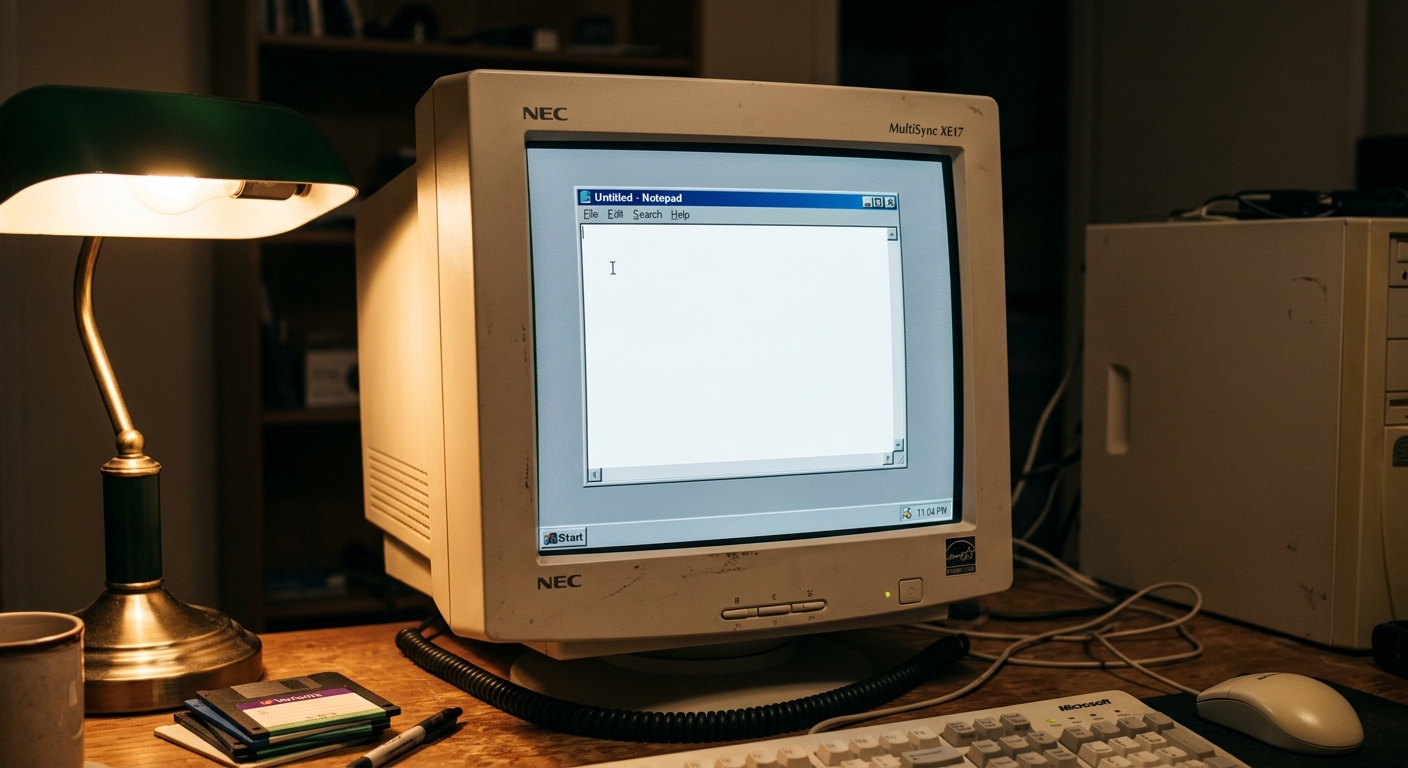
Writing Your First Site in Notepad
The Original Playground: Writing Your First Site in Notepad
If you look at modern web development in 2026, it's a sprawling landscape of frameworks, libraries, and AI assistants that can generate a responsive layout before you've even finished your prompt. It's fast, it's efficient, and it's incredibly complex. But there was a time, not that long ago, when the "web" was just a collection of text files.
Back then, "Web Development" didn't require a high-end workstation or a subscription to a cloud-based IDE. It required a blank white screen, a few angle brackets, and a lot of patience. This was the era of Windows Notepad—the original playground for anyone who wanted to claim a tiny corner of the internet for themselves.
The Ultimate Minimalist Tool
To understand why Notepad was so significant, you have to realize that it was never designed for coding. It's a plain-text editor meant for shopping lists and quick reminders. It doesn't have syntax highlighting (where the code is colored to help you see mistakes). It doesn't have auto-complete. It doesn't even have line numbers unless you know exactly where to look.
Opening a blank Notepad file was like staring at a fresh sheet of paper. There were no "boilerplates" or "templates" to get you started. If you wanted a website, you had to type every single character from scratch. If you made a mistake, the screen stayed white and silent. There were no red squiggles to tell you that you'd forgotten a closing bracket; you just had to find it yourself.
The Ritual of the Tags
The language of this era was HTML, and it was refreshingly literal. If you wanted the computer to do something, you wrapped your text in "tags."
The ritual always started the same way. You'd type , then , and then . This was the skeleton of your site. It felt like you were building a house one brick at a time. The tag was where the magic happened. This was the container for everything the world would see—your thoughts, your hobbies, and probably a few too many animated GIFs of dancing hamsters.
One of the first things you'd learn was how to make text look different. In 2026, we use complex CSS classes for this, but in the Notepad era, we just used the tag for bold and the tag for italic. It was simple, it was direct, and it worked every time. You didn't need to understand "design systems" or "typography scales." You just wanted your name to be bold, so you told the computer to make it bold.
The Save-Alt-Tab-Refresh Cycle
The workflow of a Notepad developer was a rhythmic, three-step process that became muscle memory.
First, you'd type a line of code in Notepad. Then, you'd hit Ctrl+S to save it as an .html file. Next came the "Alt-Tab" to switch over to your web browser (which was probably Netscape or an early version of Internet Explorer). Finally, you'd hit the "Refresh" button.
That moment of hitting refresh was the ultimate feedback loop. For a split second, you'd hold your breath, waiting to see if your code had turned into a real, live website. When a blue header or a centered paragraph finally appeared on the screen, it felt like a genuine accomplishment. You weren't just "editing a file"; you were manifesting something out of nothing.
Of course, if you forgot to save the file or if you saved it as a .txt instead of an .html, the browser would just show you your code instead of your website. It was a humbling experience that taught you to pay attention to file extensions—a lesson most people don't have to learn the hard way anymore.
The Blue Hyperlink: The World's Most Powerful Connection
We take links for granted now. We click on buttons and images without thinking twice about where they lead. But in the Notepad era, the hyperlink was the star of the show.
Writing your first tag was a rite of passage. You were literally connecting your page to the rest of the world. The default look of a link—bright blue text with a sharp underline—is burned into the memory of every early web developer. It wasn't "pretty" by modern standards, but it was clear. It shouted, "Click me, and I'll take you somewhere else."
There was a specific kind of magic in linking to your friend's site or a gallery of photos. It made the internet feel like a neighborhood rather than a giant, corporate platform. You were manually weaving your page into the fabric of the web, one blue link at a time.
Layouts Before the Grid: The Dark Art of Tables
If you wanted to do anything more complex than a single column of text, you had to enter the world of HTML tables.
Today, we have CSS Grid and Flexbox, which are elegant ways to arrange elements on a page. In the Notepad era, we had the tag. We would use tables for things they were never intended for—like sidebars, navigation menus, and page layouts.
Trying to build a complex layout in Notepad using nested tables was like playing a game of Tetris where the pieces were made of text. You'd have a inside a inside another , and if you missed a single at the end, the entire layout would collapse into a heap of unstyled text at the bottom of the screen.
You'd spend hours staring at your code, counting your tags, trying to figure out why your sidebar had suddenly decided to move to the middle of the page. It was frustrating, yes, but it also forced you to understand the "box model" of the web before that term even existed.
View Source: The Original Tutorial
The best part of the Notepad era was that there were no secrets. If you saw a website you liked, you didn't have to go to a bootcamp or watch a ten-hour video series to learn how they did it. You just right-clicked on the page and selected "View Source."
Because the code was just plain HTML written in editors like Notepad, it was readable. You could see exactly how they had made that table or how they'd gotten that specific shade of green for their background. It was a community built on "borrowing" code and tweaking it until it worked for you.
This was the original open-source movement. Everyone was learning from everyone else. You'd copy a bit of code, paste it into your Notepad file, change the text, and suddenly you had a "Navigation Bar." It was a collaborative, slightly messy way to learn, but it was incredibly effective.
Why It Still Matters
It's easy to look back at Notepad and think of it as a relic of a slower, more difficult time. And in many ways, it was. We wouldn't want to go back to manually typing out every table cell for a modern enterprise website.
But there's something about that blank white screen that we've lost. When you code in Notepad, there is no "noise." There are no notifications, no AI suggestions pulling your focus, and no complex build tools getting in your way. It's just you and the logic of the web.
Learning the "Old Way" reminds us that the web is, at its core, a simple thing. It's just text and links. All the fancy frameworks we use today are just layers on top of that basic foundation. Understanding the Notepad era gives you a sense of perspective; it reminds you that while the tools have changed, the goal is still the same: to share something with the world.
The next time you're wrestling with a complex framework or waiting for an AI to finish generating a component, spare a thought for the Notepad developer. They're still there, in the foundation of the web, hitting Ctrl+S and Alt+Tab and hoping that, after they hit refresh, their first blue link actually works. It wasn't the most efficient way to build a site, but it was certainly the most satisfying.
Read More Retro Tech Articles
Wrestling with Clippy in Early Microsoft Office
Why We Care About Where Tech Came From
We don't write about retro technology just for the nostalgia (though that's a pleasant side effect). Understanding how things used to work—how they were built, why they were built that way, and what problems people were trying to solve—gives you a much firmer grasp of how things work now. If it wasn't for the technology that came before, we wouldn't be able to build the fast, efficient systems we rely on today.
That understanding isn't theoretical for us. We use it every day to build custom software, websites, and platforms that are properly thought through from the ground up. Here are a couple of examples of what we've made:
Fancy Working Together?
RiWord - Our Very Own Voice To Text App
If you need a website built, some software created, or a digital problem solved in a way that actually makes sense, we'd be happy to hear from you. We're a small team, we don't talk in buzzwords, and we build things that work properly. Contact us and let's talk.
How do I create a basic HTML page using Notepad?
Open Notepad, type the skeleton — Your Title… — save the file with a .html extension, then open it in a browser.
Why does the browser show my code instead of a rendered page if I save the file as .txt?
The browser only parses files with a .html (or .htm) extension as HTML; a .txt file is treated as plain text, so you see the raw tags.
Is there any benefit to learning the old Notepad style of coding today?
Yes—it forces you to understand pure HTML structure and the fundamentals of the web, which helps when debugging modern frameworks or stripping away unnecessary complexity.