
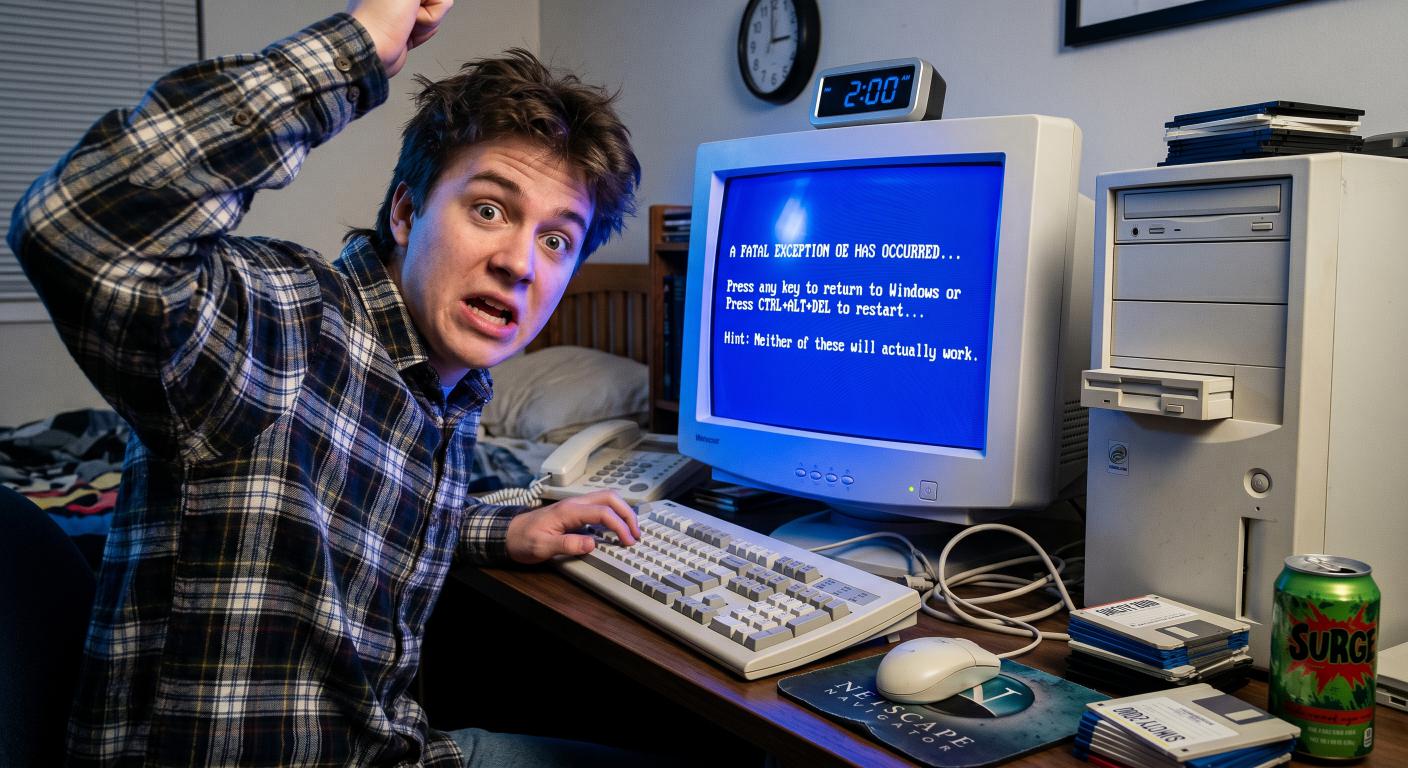
Facing the Dreaded Blue Screen of Death
There are certain sounds and sights that can instantly trigger a physical, gut-level reaction in anyone who grew up using computers in the nineties.
The screeching hiss of a dial-up modem is one. The aggressive, metallic grinding of a floppy disk drive is another.
But nothing, absolutely nothing, compares to the sheer, paralyzing dread of staring into a solid wall of bright, cobalt blue, covered in cryptic white text.
To anyone trying to run software, write an essay, or play a game thirty years ago, this was the Blue Screen of Death—or the BSOD, for those who preferred their tech trauma abbreviated.
It was the ultimate sign that something had gone horribly wrong under the hood of your computer. It didn’t politely ask you to restart. It didn't offer to save your progress. It simply pulled the digital emergency brake, turned off the lights, and left you to contemplate the fragile nature of existence.
Let's take a look back at the most feared screen in computing history, the secret history of who actually wrote it, and how it shaped the way we use computers today.
The Great Digital Freeze
To understand why the Blue Screen of Death was so devastating, you have to understand how computers used to handle crashes.
Today, if an application on your phone or laptop encounters a bug, the app simply vanishes. It "force closes." You might get a tiny pop-up saying, "Word has stopped working," but your desktop is still there, your internet browser is still open, and your music keeps playing. The operating system simply isolates the broken app, sweeps it under the rug, and keeps running.
In the nineties, Windows was not nearly that polite.
Operating systems like Windows 95 and Windows 98 were built on top of a shaky foundation of older software—specifically, MS-DOS. Because of this, they didn't have the modern ability to isolate programs from one another. They were trying to do a massive amount of heavy lifting with very limited system memory, and everything was sharing the same space.
If a single program had a minor disagreement with your computer's memory, or if you plugged in a new joystick that your system didn't quite recognize, the entire computer would panic. There was no isolating the problem. The operating system would lock up entirely.
And then, the screen would change.
The classic blue-and-white text aesthetic actually solidified in 1992 with Windows 3.1. Funnily enough, we have Microsoft royalty to thank for the actual wording on that screen.
Steve Ballmer, who was the head of the systems division at the time (and would later become Microsoft's CEO), visited the systems development team and looked at their draft of the crash message. He decided it sounded far too technical and confusing.
The developers challenged him to write a better one.
Ballmer accepted, went back to his desk, and personally drafted the text that would go on to terrify millions of users for the next decade.
The Glimmer of Hope
The text Ballmer wrote was highly formal, almost robotic. It looked incredibly official, and it always offered you a tiny, agonizing sliver of hope.
It would usually tell you:
Press any key to return to Windows, or press CTRL+ALT+DEL to restart your computer. If you do this, you will lose any unsaved information in all open applications.
+------------------------------------+
| An error has occurred. To |
| continue: |
| |
| Press Enter to return to Windows |
| or |
| Press CTRL+ALT+DEL to restart. |
| |
| Hint: This might actually work |
| once in a blue moon. |
+------------------------------------+
For years, many of us believed this prompt was a cruel, digital ghost—a complete lie displayed by a computer that was already completely dead.
But there was actually a bit of real, desperate engineering happening behind that blue wall.
In Windows 95 and 98, this screen was a live error-handling routine triggered by what Windows called a "Virtual Device Driver." In simple terms, it was the operating system acting as a referee, trying to stop a brawl between a broken program and your hardware.
The computer was, in fact, still listening to your keyboard.
If the error wasn't completely catastrophic, pressing a key would attempt to terminate the broken thread of code and drop you back onto your desktop.
Most of the time, this failed miserably, or left your computer so unstable that it looked like a glitchy retro video game. But once in a long while, the digital gods would smile upon you. The blue screen would vanish, your desktop would reappear, and you would have a frantic, heart-pounding five seconds to hit Ctrl+S to save your work before the entire machine locked up for good.
It was the ultimate tech adrenaline rush.
The Bill Gates Live Disaster
If you think the Blue Screen of Death only happened to regular people in their home offices or school computer labs, think again. The BSOD was an equal-opportunity destroyer, and it famously struck at the highest level imaginable.
In April 1998, Bill Gates stood on stage at the massive COMDEX trade show in Chicago. He was there to demonstrate the upcoming, highly anticipated Windows 98 operating system to a crowd of thousands of journalists, developers, and industry leaders.
To show off how easy the new system was to use, Gates' assistant, Chris Capossela (who, despite this moment, survived the ordeal and eventually became Microsoft's Chief Marketing Officer), plugged a scanner into the computer. It was supposed to be a flawless demonstration of the new "Plug and Play" feature—the idea that you could plug in hardware and use it instantly without rebooting.
The moment the assistant plugged the scanner in, the computer froze.
A split second later, the massive projection screen behind Bill Gates filled with a giant, glorious Blue Screen of Death.
The crowd erupted into a mixture of gasps, cheers, and nervous laughter. Gates, to his credit, didn't panic. He paused, smiled dryly, and said:
"That must be why we're not shipping Windows 98 yet."
It was a hilarious moment of live television, but it perfectly summed up the era. If the richest man in the world, surrounded by his best engineers and his future CMO, couldn't avoid the blue screen on live television, what hope did the rest of us have?
The Cycle of Grief
Experiencing a Blue Screen of Death in the nineties was a journey through the classic stages of grief.
First came Denial. You would stare at the screen, refusing to believe it. "No, this can't be happening. I just wrote three pages of my history report. I'm sure it auto-saved. Microsoft Word has an auto-save feature, right?" (Spoiler: in 1997, it rarely worked when you actually needed it to).
Then came Anger. You would glare at the monitor. You might lightly slap the side of the bulky plastic casing, as if physical violence could somehow convince the internal microchips to reassemble your lost paragraphs.
Next was Bargaining. You would stare at the frozen screen and make silent promises to the technology gods. "If you just let me get back to my screen for five seconds so I can hit save, I promise I will buy a surge protector. I promise I will back up my files every ten minutes. I promise I will stop downloading weird screensavers."
Finally, Acceptance. You would sigh, turn the machine off, turn it back on, and watch the slow, agonizingly painful process of your computer rebooting.
Because the computer had been shut down incorrectly, Windows would force you to sit through a slow utility program called ScanDisk. You would have to watch a blue-and-yellow progress bar creep across your screen, block by block, checking your hard drive for damage while you mentally tried to recreate the sentences you had just lost.
ScanDisk - Checking Drive C:
[¦¦¦¦¦¦¦¦¦¦¦¦¦¦¦¦¦¦¦¦¦¦¦¦¦¦¦¦] 42%
Please wait while we check your drive
for the files you just lost forever.
The Business Engine That Saved the Day
By the early 2000s, Microsoft knew they had to fix this instability if they wanted to survive.
But they didn't just rebuild Windows from scratch. Instead, they did something far more clever: they took a robust, heavy-duty engine they had been building since 1993 for corporate networks and server rooms, called Windows NT.
While home users were suffering through the unstable, DOS-based world of Windows 95 and 98, business users on Windows NT (and later Windows 2000) were enjoying advanced memory protection and isolated software containers.
When Microsoft released Windows XP in 2001, they finally merged these two paths. They took the friendly, colorful interface that consumers loved and slapped it on top of that rock-solid Windows NT foundation.
Almost overnight, the Blue Screen of Death became a rare, shocking event rather than a weekly scheduling conflict.
As the years went on, Microsoft also tried to soften the blow of the crash screen. In Windows 8 and 10, they replaced the stark, aggressive wall of raw text with a softer, lighter blue shade, a QR code for troubleshooting, and a giant, sad smiley face: :(.
While the sad smiley face was meant to make the experience feel more human and less technical, many old-school users felt it was actually a bit patronizing. There was something honest about the old-school BSOD. It didn't try to coddle you. It didn't pretend to be sad. It was a cold, hard, engineering-level failure, and it gave you the raw, unvarnished truth: Something broke, and your data is gone. Deal with it.
The Lessons of the Blue Screen
For developers, designers, and regular users alike, the Blue Screen of Death was a brutal but highly effective teacher.
It taught a generation of computer users to develop a twitchy, subconscious habit of pressing Ctrl+S (Save) every single time they finished typing a sentence. It taught us not to trust technology blindly. It made us appreciate the stability, auto-saves, and seamless cloud backups we enjoy today.
The next time your computer silently handles a background error, or your browser crashes but instantly restores your open tabs when you reopen it, take a moment to appreciate how far we've come.
We no longer have to stare into the blue abyss. We survived the nineties, one fatal exception at a time.
More Retro Technology
If this brought back memories — fond, alarming or accompanied by the sound of a modem — there is more in our Retro Tech section. These three are a good place to continue:
Why Old Technology Still Matters
Older technology is not just there to make modern computers look smug. The machines, languages and limitations of the past created many of the ideas we still use, exposed mistakes worth avoiding and taught developers to make careful choices when memory, storage and processing power were scarce. Understanding how we arrived here helps us build better software now.
A Few Things We Have Built Since Then
TrailTrack brings mapping, route planning, journals and a community together in a way those older machines could scarcely have managed. RiCreate and RiOrganise solve very different problems, but both benefit from the lessons early software taught us: keep the purpose clear, respect the user’s time and make the complicated machinery feel straightforward.
Have Something You Want to Build?
If you have an idea for a website, app or business system, tell us what it needs to achieve. We will bring the modern tools; fond memories of progress bars are optional.
What is the Blue Screen of Death?
It is the error screen Windows shows when the operating system encounters a serious problem it cannot safely recover from.
What commonly caused blue screens?
Faulty drivers, failing memory, hardware problems and low-level software conflicts were common causes. The stop code helped identify where investigation should begin.
Are modern computers less likely to show a blue screen?
Generally yes. Better driver models, hardware checks and operating-system recovery have made serious crashes less common, though no complex system is completely immune.