
The Little Padlock Icon: Why People Won't Trust Your Website Without It
Imagine walking down your local high street, looking for a shop to buy a new laptop. You find a store, walk up to the entrance, and stop dead.
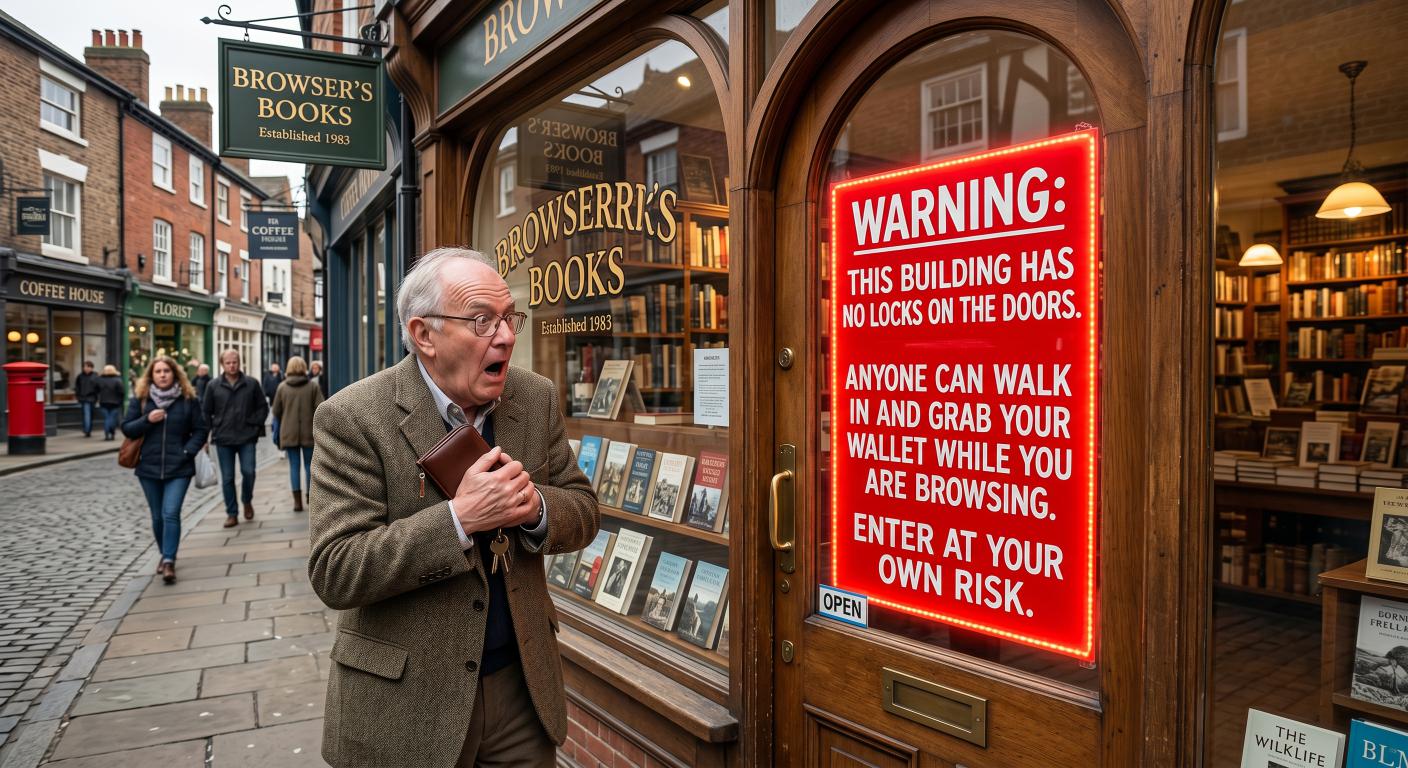
Right next to the door handle, there is a giant, glowing red warning sign slapped on the glass by the local council. It reads: "WARNING: This building has no locks on the doors. Anyone can walk in and grab your wallet while you are browsing. Enter at your own risk."
You wouldn’t walk inside. You wouldn’t even peer through the window. You would turn around, walk straight back to your car, and find another shop.
In the digital world, millions of businesses are actively leaving this exact warning sign on their front doors without even realising it.
Whenever someone visits a website, their web browser (like Google Chrome, Safari, or Microsoft Edge) acts as a security inspector. If your website doesn't meet basic safety standards, the browser doesn't quietly let the user browse. It slaps a stark, alarming "Not Secure" warning right next to your website address in the search bar.
To get rid of that warning, your website needs to use a technology called HTTPS.
Let’s look at what this security layer actually does, why Google will actively punish your business if you don't have it, and how you can get it sorted without spending a fortune.
Shouting in a Pub vs. Whispering in a Private Booth
Tech people love their acronyms. You might hear developers talking about "SSL certificates" or "TLS protocols." Honestly, it sounds more like a premium diesel fuel or a dry skin condition than a security feature.
To understand what it actually does, we need to look at how data moves from a customer’s screen to your website’s database.
Historically, websites used a language called HTTP (Hypertext Transfer Protocol). When a customer typed their email address, password, or credit card details into an HTTP website, that data was sent across the internet in plain, readable text.
Sending data over HTTP is like shouting your bank details across a crowded pub. If you are lucky, the person at the bar hears you and handles your order. But anyone else standing in the pub can easily overhear exactly what you said, write it down on a napkin, and use it later.
[ HTTP (Unsecured) ]
Your Computer ------- "My password is Password123" -------? Website Server
(Everyone can overhear this)
[ HTTPS (Secured) ]
Your Computer ------- "x9!kP7_£q2*hLzR!" -----------------? Website Server
(Total gibberish to onlookers)
By adding a single letter to the end of that acronym, we get HTTPS (the "S" simply stands for Secure).
When a website uses HTTPS, it sets up an encrypted connection. Instead of shouting across the pub, it is the equivalent of walking into a private, soundproof booth with the bartender to hand over your details. If anyone tries to eavesdrop on the conversation, all they will hear is complete, scrambled silence.
Why Google Acts Like a Strict Security Guard
For a long time, only websites handling sensitive financial transactions—like banks or massive online retailers—bothered using HTTPS. If you just had a simple brochure website for a local plumbing business or a consulting firm, standard HTTP was considered perfectly fine.
Then, Google stepped in and changed the rules of the game.
Google’s entire business model relies on people trusting its search engine. If Google sends a user to a website and that user ends up getting their data stolen, Google looks bad.
So, they decided to make the internet a safer place by forcing everyone’s hand. They did this in two ways:
1. The Red Warning Label
If your website does not have that secure HTTPS connection, Google Chrome (which is used by more than 60% of people on the internet) will display that dreaded "Not Secure" warning in the address bar. It is designed to look alarming because Google wants users to be careful. For a business owner, it is an absolute conversion killer.
2. The Search Engine Penalty
Google actively prioritises secure websites in its search results. If you and your main competitor are fighting for the top spot on Google for the same keywords, and their website is securely encrypted but yours isn't, Google will almost always push your competitor to the top and bury your site further down the page.
| Feature | Unsecured Website (HTTP) | Secured Website (HTTPS) |
|---|---|---|
| Address Bar | Displays "Not Secure" warning | Displays security icon |
| Google Rankings | Punished and pushed down | Given a ranking boost |
| Customer Trust | Scared away instantly | Happy to browse and buy |
How to Get the Padlock (And No, It Shouldn't Cost a Fortune)
To get a secure connection on your site, you need to install an SSL Certificate on your web server. Think of this certificate as a digital passport. It proves to the user's web browser that you own the domain name they are visiting and that the connection between them and you is completely private.
Years ago, buying one of these digital passports was a massive headache. You had to pay a specialist provider anywhere from £50 to £300 a year, fill out endless paperwork, and manually install complex files onto your server every twelve months.
Thankfully, those days are gone.
Today, a global initiative called Let’s Encrypt provides basic security certificates to the entire world for absolutely free.
If you are building a new website or hosting an existing one, getting your security set up should be incredibly simple:
The One-Click Toggle: Most reputable modern web hosting companies have a free, one-click button in their settings panel that says "Enable Free SSL" or "Activate HTTPS."
Managed Services: If you work with a professional software or web development agency, they should include this security setup as standard practice. If an agency tries to charge you hundreds of pounds a year just to "renew" a basic certificate, they are taking you for a ride.
Once the certificate is active, any traffic going to the old http:// version of your website will automatically and instantly be redirected to the secure https:// version.
Watch Out for the "Mixed Content" Trap
Sometimes, you click that one-click toggle, but your browser still displays a security warning. This is a very common issue called a "Mixed Content" error, and it can cause business owners to panic.
Imagine putting a high-tech smart lock on your front door, but leaving your back window completely open. If your website is mostly secure, but your page layout contains an old image link, a font, or a video that still points to an old http:// address, the browser will spot this unsecure backdoor. It gets confused, thinks the whole page might be compromised, and throws the warning flag anyway. If your site still shows a warning after turning on HTTPS, a quick check of your image links usually solves the issue.
The Catch: Encryption is Not a Guarantee of Honesty
Now for a massive, vital reality check.
Having an active secure connection does not mean a website is run by a legitimate, honest business. It only means that the connection between your computer and that website is private.
Think of it like an armoured security van. If a legitimate bank uses an armoured van to transport cash, the money is secure. If a gang of bank robbers steals that same armoured van to transport their loot, the loot is still securely protected inside—but they are still bank robbers.
Because free security certificates are so easy to get, internet scammers can set up a fake website and secure it with HTTPS in less than thirty seconds. Encryption protects your data from being intercepted by hackers along the highway, but it cannot protect you if you willingly hand your credit card to a scammer on the other end.
Why the Padlock Icon is Actually Gone
Because too many people incorrectly assumed that the padlock icon meant "this website is safe and run by good guys," browsers like Google Chrome have actually retired the literal padlock icon.
Today, if a site is secure, you will see a neutral "tune" or "settings" icon (which looks like two little sliders and circles) next to the web address instead. If you click it, it simply confirms that your connection is secure. Browsers made this change because encryption is now considered the invisible baseline requirement for the entire internet, not a special badge of honour.
It Is No Longer Optional
In today's digital landscape, web security is no longer a luxury reserved for multinational corporations. It is the baseline entry requirement for having a presence online.
Having a secure website isn't going to make your customers stop and marvel at your incredible tech setup. They won't write you a glowing review because your site is secure.
But not having it will actively drive them away.
It is a silent trust builder. It works in the background, keeping your visitors' data safe, keeping Google happy, and ensuring that when a potential client finally lands on your page, the first thing they see is your business—not a warning sign telling them to run for the hills.
More Cyber Security Help
Security advice can become stale remarkably quickly, so we keep reading, testing and writing about it. These three articles continue the subject without expecting you to develop an enthusiasm for warning logs.
Why We Keep Up with Cyber Security
We build websites and software that people trust with real business information. That means security cannot be sprinkled on at the end: we need to understand current threats, safer development practices and the technology protecting data while we design and write the code. Keeping up with the subject is part of doing the job properly.
A Few Things We Have Built
TrailTrack shows what happens when mapping, route planning, personal records and a growing community have to work together as one dependable platform. RiNet and RiOrganise are different kinds of systems, but they follow the same principle: useful software should fit the people using it and protect the information entrusted to it.
Have Something You Want to Build?
Tell us what the business needs to do, where the awkward parts are and who will use it. We can work out the technology, build it properly and explain the decisions without turning the conversation into a computer-science exam.
What does the padlock icon in a browser mean?
It means the connection between the browser and website is encrypted with HTTPS. Information sent across that connection is much harder for somebody else to intercept.
Does a padlock prove that a website is trustworthy?
No. A dishonest website can also use HTTPS. The padlock protects the connection; it does not verify the claims, products or people behind the site.
Why does every business website need HTTPS?
HTTPS protects visitor data, prevents browser security warnings and helps stop content being altered in transit. It is now a basic requirement, not an optional extra for shops.