
Public Wi-Fi isn't quite the security disaster you've been told it is
For years, connecting to public Wi-Fi has been treated as roughly equivalent to posting your bank details on a billboard in Piccadilly Circus. The warnings have been dire and plentiful: coffee shop networks will expose your every secret to any teenager with a laptop and a YouTube tutorial. It's become one of those received wisdoms that gets passed around like a chain email from 2004.
The thing is, whilst there are still some perfectly sensible precautions to take, the landscape has shifted rather a lot since those warnings first started doing the rounds. The internet has changed, encryption has become standard rather than optional, and the actual risks look different now than they did a decade ago.
The fundamental shift that nobody mentioned
Here's what's actually changed: most websites now encrypt their connections by default. That little padlock icon in your browser's address bar isn't decorative—it indicates an HTTPS connection, which encrypts the information travelling between your device and the website you're visiting. This happens regardless of whether you're on your home broadband, a dodgy airport hotspot, or the café around the corner.
The US Federal Trade Commission has acknowledged this reality, noting that widespread website encryption means connecting through public Wi-Fi is usually safe. When you're browsing an HTTPS site, the data moving back and forth is encrypted before it leaves your device. Someone snooping on the same network would see gibberish rather than your passwords or credit card numbers.
This is worth emphasising because the old horror stories often involved criminals intercepting unencrypted login credentials or reading your emails as they passed through the network. That particular nightmare scenario has become substantially less relevant as HTTPS adoption has become widespread.
What HTTPS doesn't do
Before this starts sounding like an invitation to abandon all caution whilst merrily banking on the train, there's an important distinction to make. HTTPS protects data in transit—it encrypts the journey between your device and wherever you're connecting. What it doesn't do is verify that you're connecting somewhere trustworthy in the first place.
Scammers can operate encrypted websites too. The padlock means your connection to that site is encrypted; it doesn't mean the site itself isn't run by someone whose business model involves emptying your current account. A phishing site dressed up to look like your bank can have perfectly valid HTTPS encryption whilst being entirely fraudulent. The encryption protects the conversation; it doesn't guarantee you're talking to someone honest.
The actual risk worth worrying about
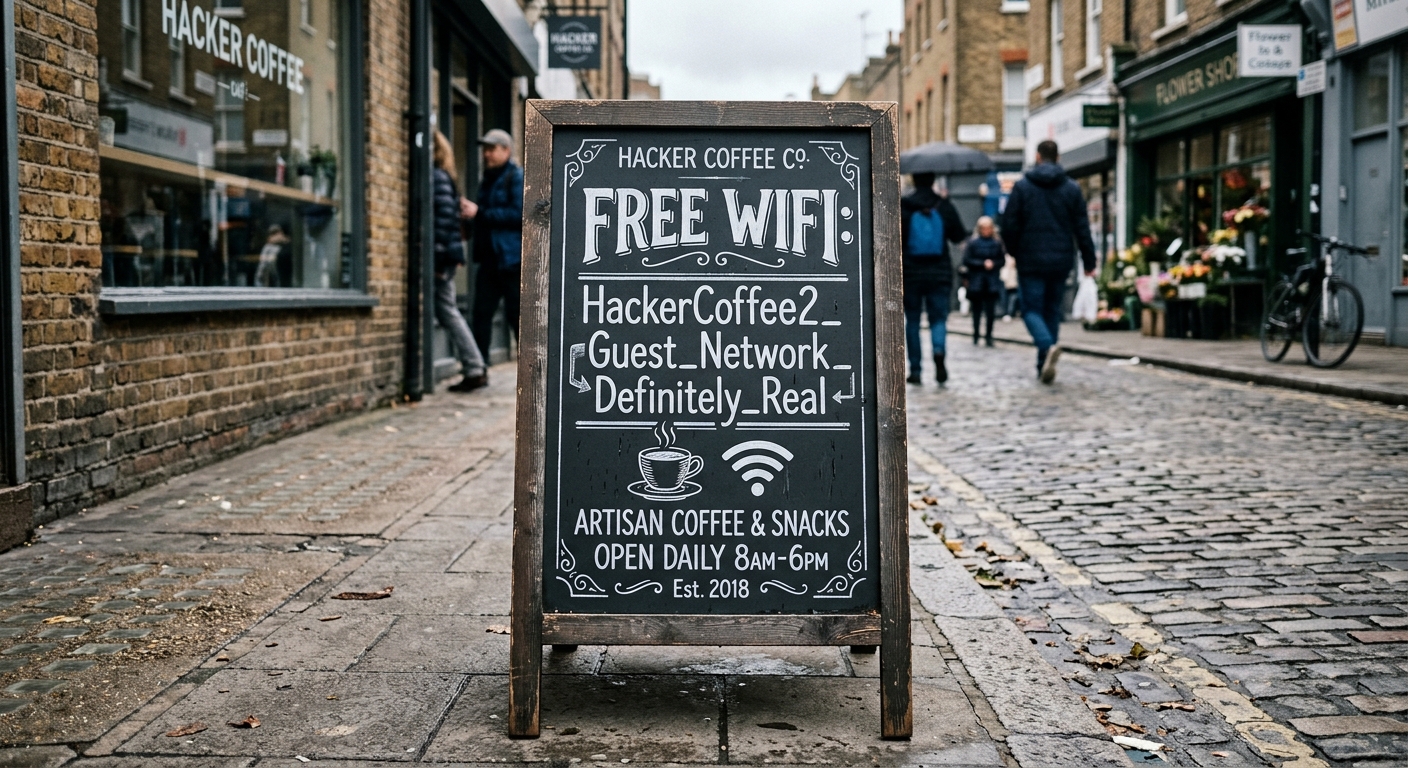
The UK National Cyber Security Centre warns about a practical concern: rogue hotspots. A criminal can create a fake Wi-Fi network designed to look like the legitimate one offered by the café, hotel or airport you're sitting in. Connect to "Starbucks_Guest_2" when the real network is "Starbucks_Guest" and you've just handed someone the ability to monitor or redirect your traffic.
This is where the advice becomes genuinely useful rather than paranoid. The NCSC recommends checking the correct network name with staff before connecting. It's a small thing, takes about fifteen seconds, and addresses an actual vulnerability rather than a theoretical one. Someone can absolutely park outside a building with a laptop and broadcast a convincing fake network name.
The fake network doesn't need to break your encryption—it just needs you to connect to it willingly. Once you do, they control the infrastructure between you and the wider internet, which creates opportunities for mischief even when individual connections are encrypted.
The mobile data option
If asking staff for the Wi-Fi name feels like more social interaction than you're prepared to manage before your second coffee, there's a straightforward alternative. The NCSC guidance identifies mobile tethering or a mobile network device as a simple option when faced with an unknown hotspot.
Your phone's data connection doesn't solve every security problem on earth, but it does bypass the question of whether the Wi-Fi network is legitimate. You're connecting through your mobile provider rather than through infrastructure controlled by the café, airport or mysterious person in a van outside. For casual browsing whilst out and about, it's often the path of least uncertainty.
Obviously this assumes you have mobile data available and aren't trying to download something large enough to annoy your network provider, but for checking email or looking something up, it's perfectly serviceable.
VPNs: useful but not magical
Virtual Private Networks get mentioned a lot in these discussions, often with an enthusiasm that borders on religious fervour. They do serve a purpose, particularly for organisations with properly configured setups. A VPN can encrypt traffic routed through it across an untrusted network, creating a secure tunnel between your device and the VPN server.
The NCSC notes that only traffic actually routed through the VPN receives this protection. This matters because not every application or connection necessarily goes through the VPN, depending on how things are configured. A VPN isn't a magical security bubble that protects everything your device does; it's a specific technical tool that works in specific ways.
For personal use, VPN providers vary considerably in trustworthiness, privacy practices and technical competence. You're essentially choosing to route your internet traffic through someone else's servers, which means you need to trust them at least as much as you'd trust a random Wi-Fi network. Some are excellent. Some are run by people whose approach to customer privacy is creative at best. Choose carefully if you go this route.
What to actually worry about
None of this—HTTPS, mobile data, VPNs or carefully verified Wi-Fi networks—protects you from clicking dodgy links, falling for phishing emails, installing malicious software or using passwords like "password123". Security is a system, not a single switch you flip to the "on" position.
Public Wi-Fi has become safer than its reputation suggests, primarily because the internet itself has adopted better encryption standards. The risks that remain are real but specific: fake networks impersonating legitimate ones, and the general basket of threats that exist regardless of which network you're using.
So by all means use that café Wi-Fi. Just check you're actually connecting to the café's network rather than "FREE_INTERNET_DEFINITELY_LEGIT" broadcasted by someone's questionable hotspot nearby. Ask staff, use your mobile data if you prefer, and remember that the padlock in your browser protects the journey but not the destination. It's risk management rather than paranoia, which is rather more useful than either extreme.
More reading on staying reasonably secure
If you've found this sufficiently interesting to not regret the time spent reading it, we've written quite a bit more about security and privacy. The collection covers various aspects of keeping your digital life reasonably protected without requiring a computer science degree or a bunker in the countryside.
Incognito Mode: The Privacy Feature That's Mostly Just Hiding Things From Your Mum
Why Clicking "Remind Me Later" on Software Updates is a Bad Idea
What happens to your business data when you use free online tools
Why we talk about this
We write about security and privacy because it's central to how we build things. When we're developing software or creating websites, these considerations are baked into the process from the beginning rather than sprinkled on top at the end like some sort of security garnish. It's part of doing the work properly. For example TrailTrack, one of our biggest projects, needs security done right as its a public platform. You can see more here:
Building things the right way
If you'd like us to build you a website or create software with security treated as a fundamental requirement rather than an afterthought, we'd be pleased to hear from you. We approach these projects with the same practical, no-nonsense attitude you've just read—competent work without the unnecessary drama. Get in touch and we'll have a proper conversation about what you need. You can find out more about us and our prices below.
Is it actually safe to use public Wi-Fi now?
Yes, it's generally much safer than you've been told. Most websites now use HTTPS encryption by default, which protects your data even on public networks. The main risk to watch for is connecting to fake networks set up by scammers, so verify the correct network name with staff before connecting.
Should I use my phone's data instead of public Wi-Fi?
It's a good option if you're uncertain about the Wi-Fi network. Mobile data bypasses the question of whether the hotspot is legitimate since you're connecting through your mobile provider instead of potentially dodgy café infrastructure.
Do I need a VPN for public Wi-Fi?
Not necessarily. VPNs can add protection, but they're not magical security bubbles and only work if properly configured. Since most websites now use HTTPS encryption anyway, a VPN is less essential than it used to be—though it can be useful if you choose a trustworthy provider.